
Eucalyptus Fresh General Notification Email
A fresh and elegant general notification email template themed around eucalyptus plants, for service descriptions, schedule adjustments, warm reminders, announcements, and other formal communication scenarios. It features a soft color palette of light eucalyptus green, warm ivory, mist gray, sage green, and terracotta, creating a natural and refined visual atmosphere. Built on a 600px email canvas, the template establishes a clear reading entry at the top with an eyebrow, main title, and subtitle, carries the body content in the middle, and places the closing greeting, signature, and external link button at the bottom, with a well-defined information hierarchy. The body container has stable font sizes, line heights, and dividers, allowing long content to extend naturally while maintaining visual continuity. For marketing scenarios, it supports a single-column main product and a two-column secondary product layout on desktop that stacks vertically on mobile, making it professional, efficient, and exportable.
This template was made for EasyAImail with AI assistance and was not copied from a third-party template library. No separate template license is required, and it may be used in commercial email under our Terms of Service.
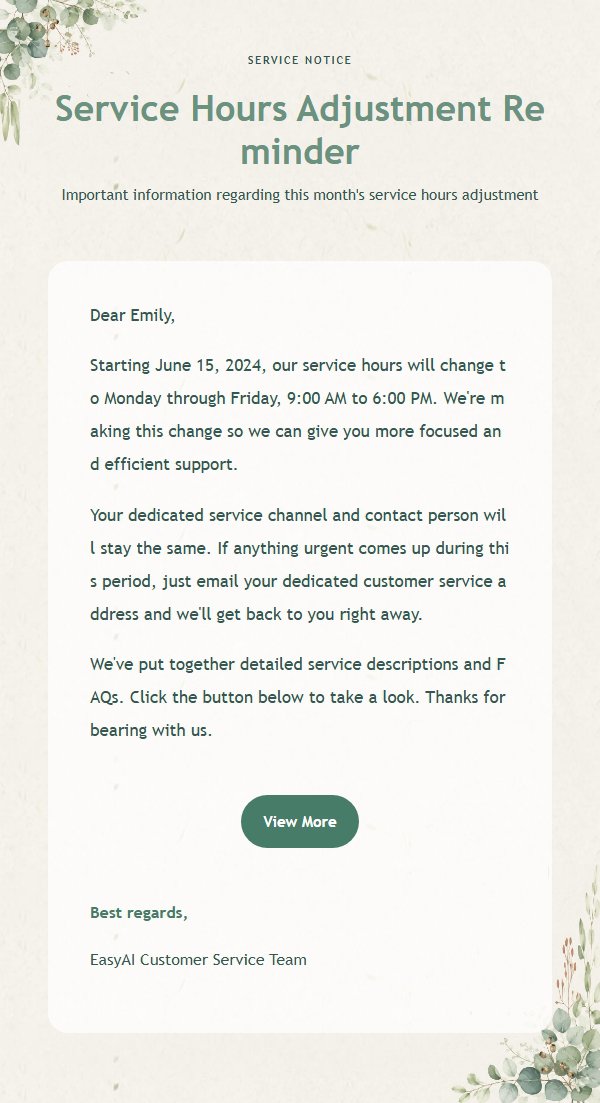
Email previews
2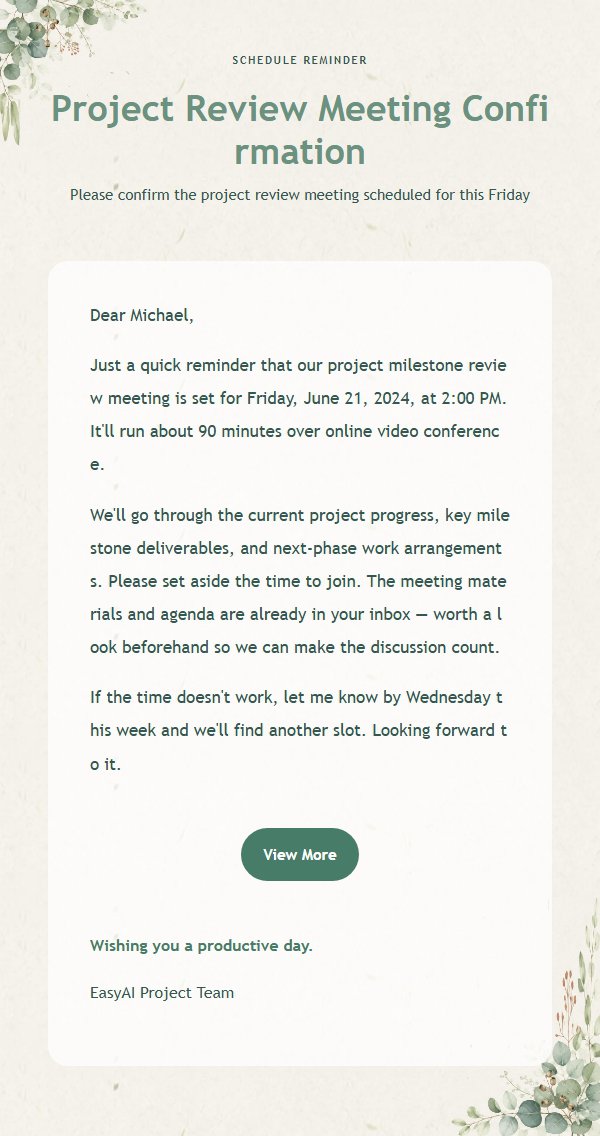
Use this template in three steps
No downloads and no HTML editing. After you sign in, this template opens automatically; just tell AI who the email is for and why you are writing.
- 1
Open this template
Click the button and sign in or create a free account. The writing screen opens with this template already selected.
- 2
Tell AI the essentials
In your own words, share the recipient, purpose, and tone. If dates, locations, links, or other details are missing, AI asks for them.
- 3
Preview, revise, and send
Review the complete email and ask AI for changes. Then enter the recipient and choose to send now or schedule it.
Version history
- v1.0First Created
Turn this template into your own email
Create a free account and this template opens automatically. Tell AI who you are writing to, why, and what matters; then preview the complete email, revise it, and decide how to send it.