
Ink-Elegant Mid-Autumn Greeting Email
A Mid-Autumn Festival greeting template for writing to family, friends, colleagues or clients around the 15th day of the eighth lunar month. The visuals build on a full moon, paper lanterns, mooncakes on a lacquer tray and osmanthus branches, with moonlight cream, jade green, cinnabar red and antique gold. Paper-cut inspired patterns sit against deep ink contrast, keeping the ceremony of the holiday while leaving soft, quiet space. The copy opens with the reason for the greeting, moves into thanks, wishes or a shared moment, and closes with a low-pressure button, so it reads like a letter rather than a system notice. Mobile-first layout keeps long text comfortable, while desktop scales up type and spacing.
This template was made for EasyAImail with AI assistance and was not copied from a third-party template library. No separate template license is required, and it may be used in commercial email under our Terms of Service.
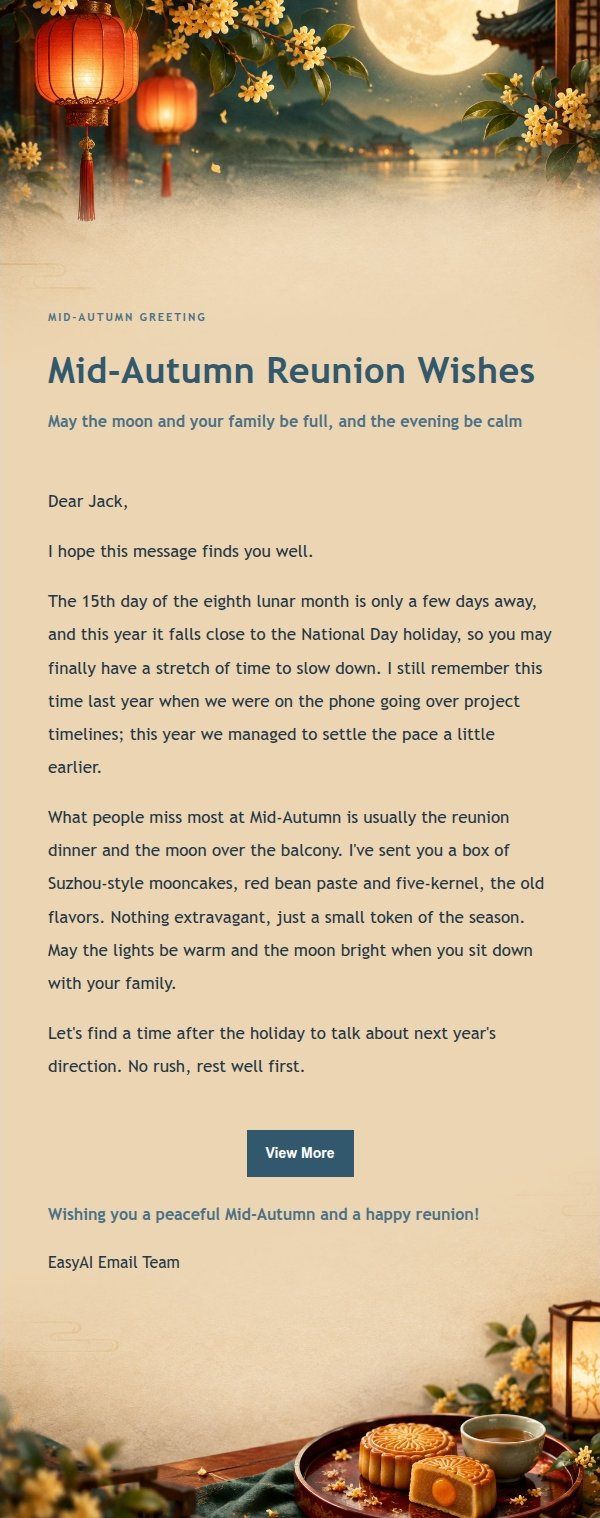
Email previews
2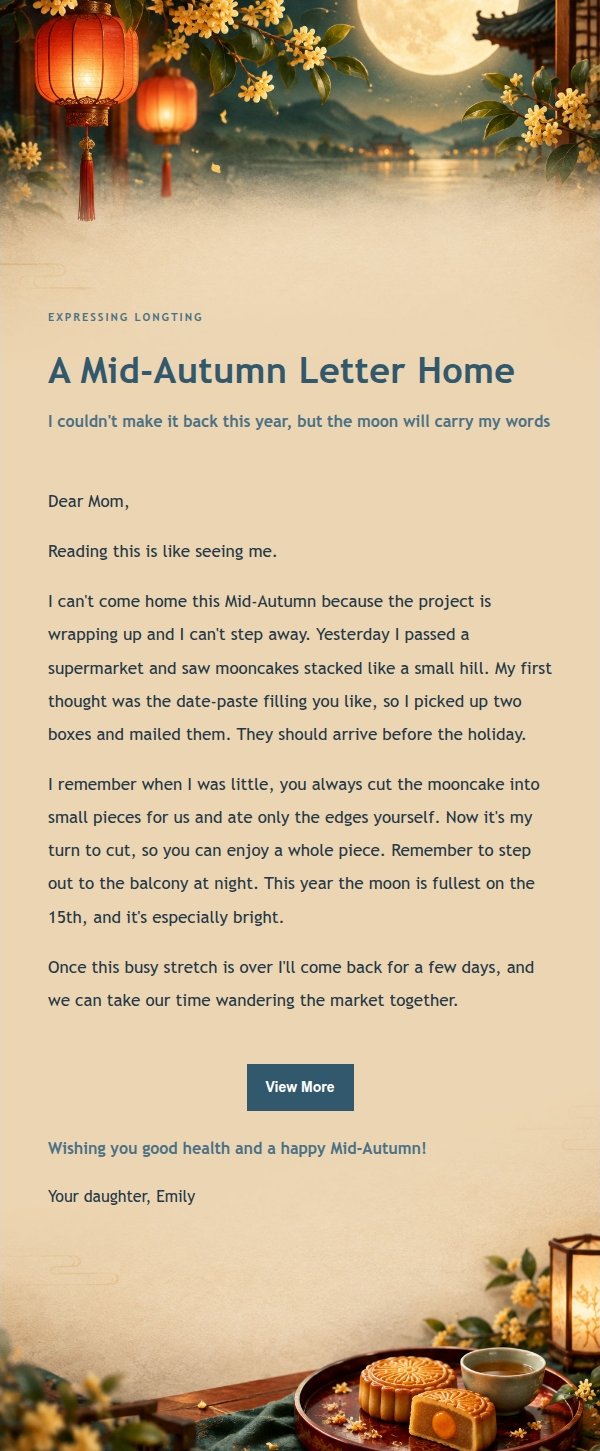
Use this template in three steps
No downloads and no HTML editing. After you sign in, this template opens automatically; just tell AI who the email is for and why you are writing.
- 1
Open this template
Click the button and sign in or create a free account. The writing screen opens with this template already selected.
- 2
Tell AI the essentials
In your own words, share the recipient, purpose, and tone. If dates, locations, links, or other details are missing, AI asks for them.
- 3
Preview, revise, and send
Review the complete email and ask AI for changes. Then enter the recipient and choose to send now or schedule it.
Version history
- v1.0First Created
Turn this template into your own email
Create a free account and this template opens automatically. Tell AI who you are writing to, why, and what matters; then preview the complete email, revise it, and decide how to send it.